Search photos with
Natural Language
Stop scrolling, start finding. PicSeek runs advanced AI models locally on your device to help you find memories instantly. 100% Private.
Stop scrolling, start finding. PicSeek runs advanced AI models locally on your device to help you find memories instantly. 100% Private.
Tired of Photo Chaos?
We've all been there. You have thousands of photos, but you can't use them effectively.
You want to share a specific moment with a friend, but scrolling through 20,000 photos is impossible. You give up before you find it.
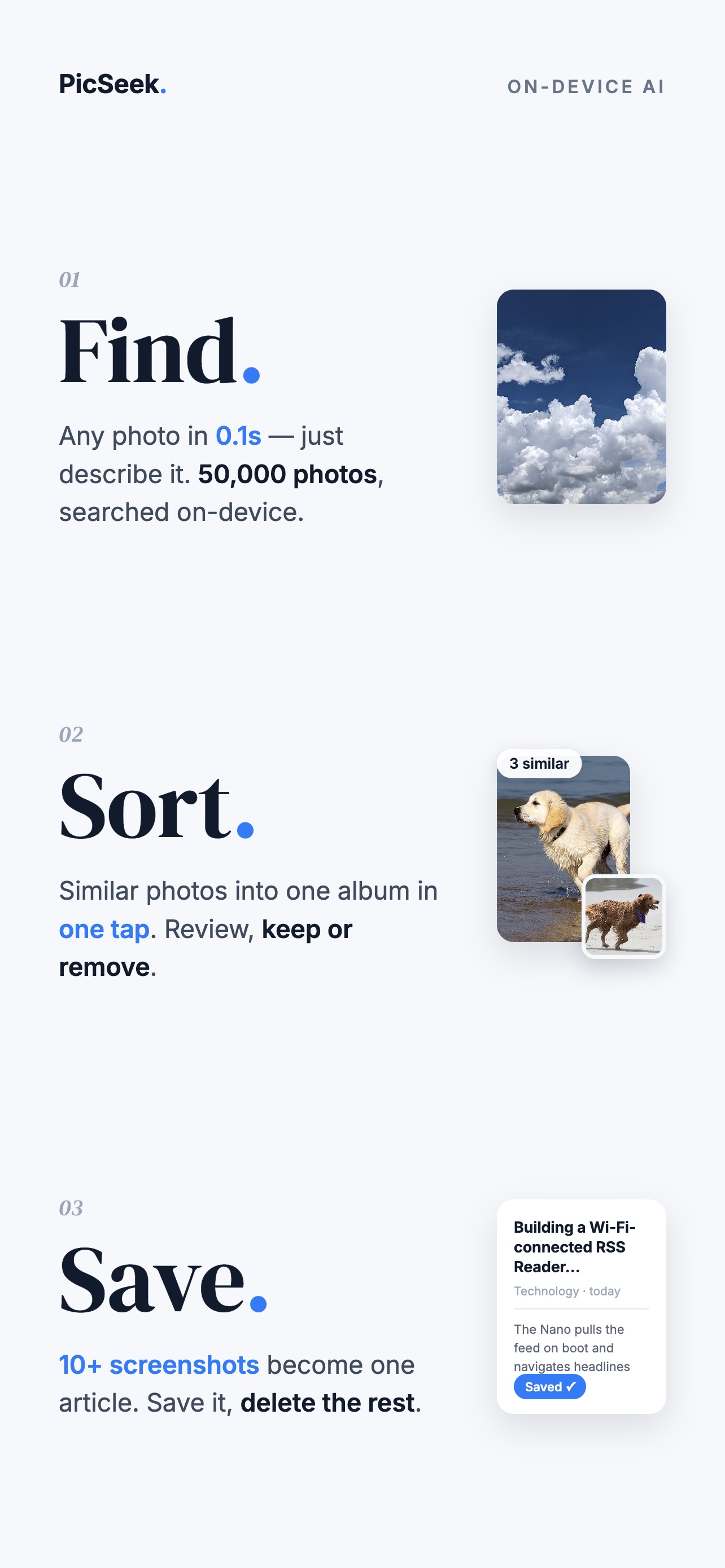
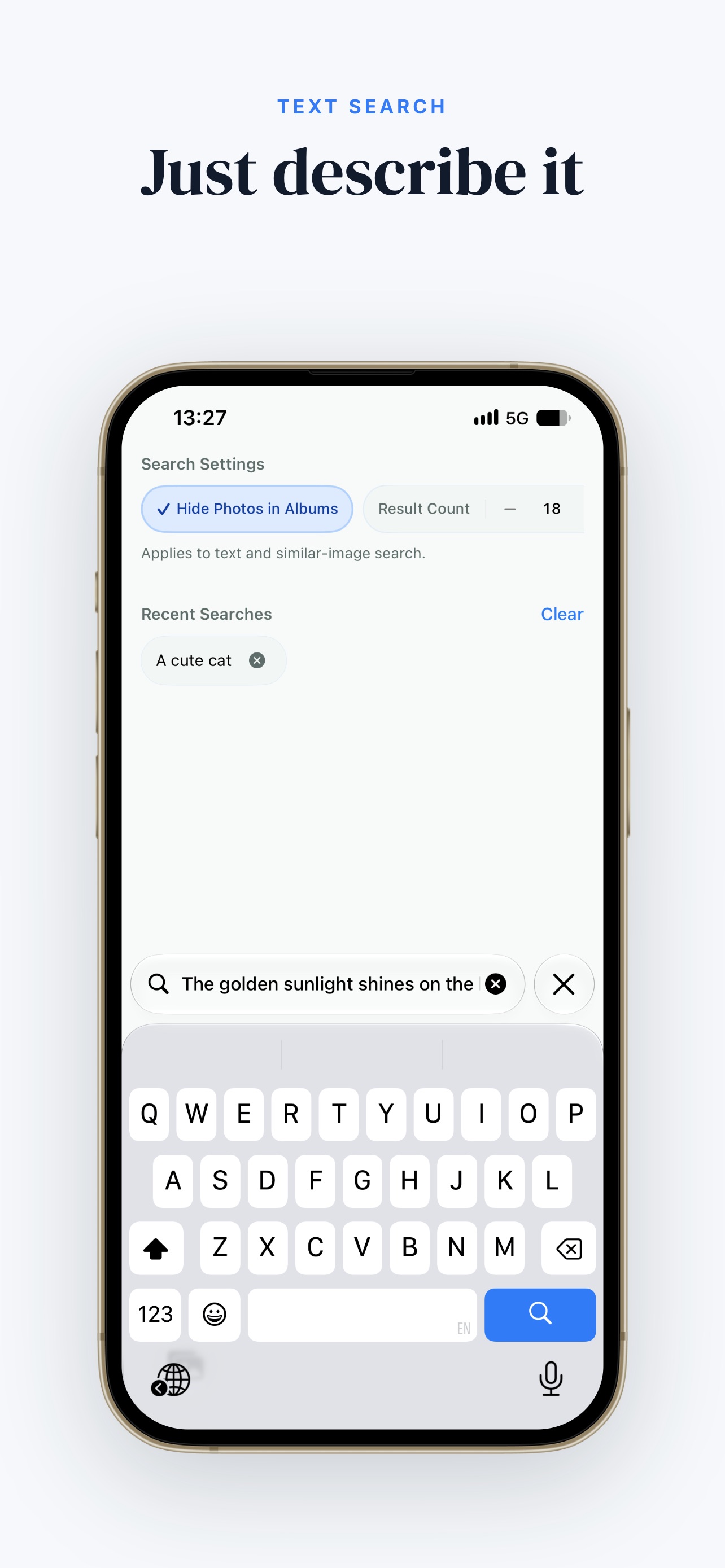
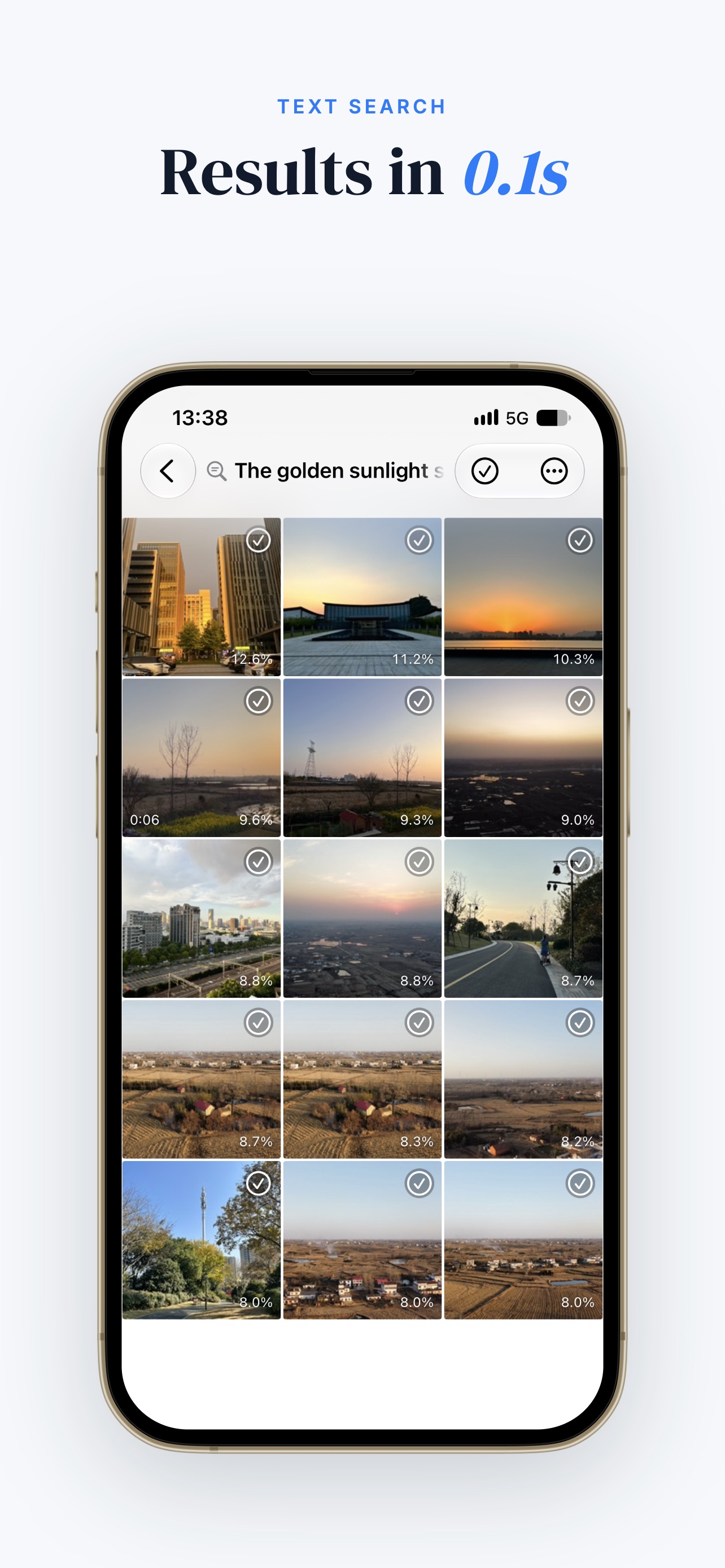
Natural Language Search. Just describe what you remember: "red car by the beach" or "birthday cake 2023". We find it instantly.
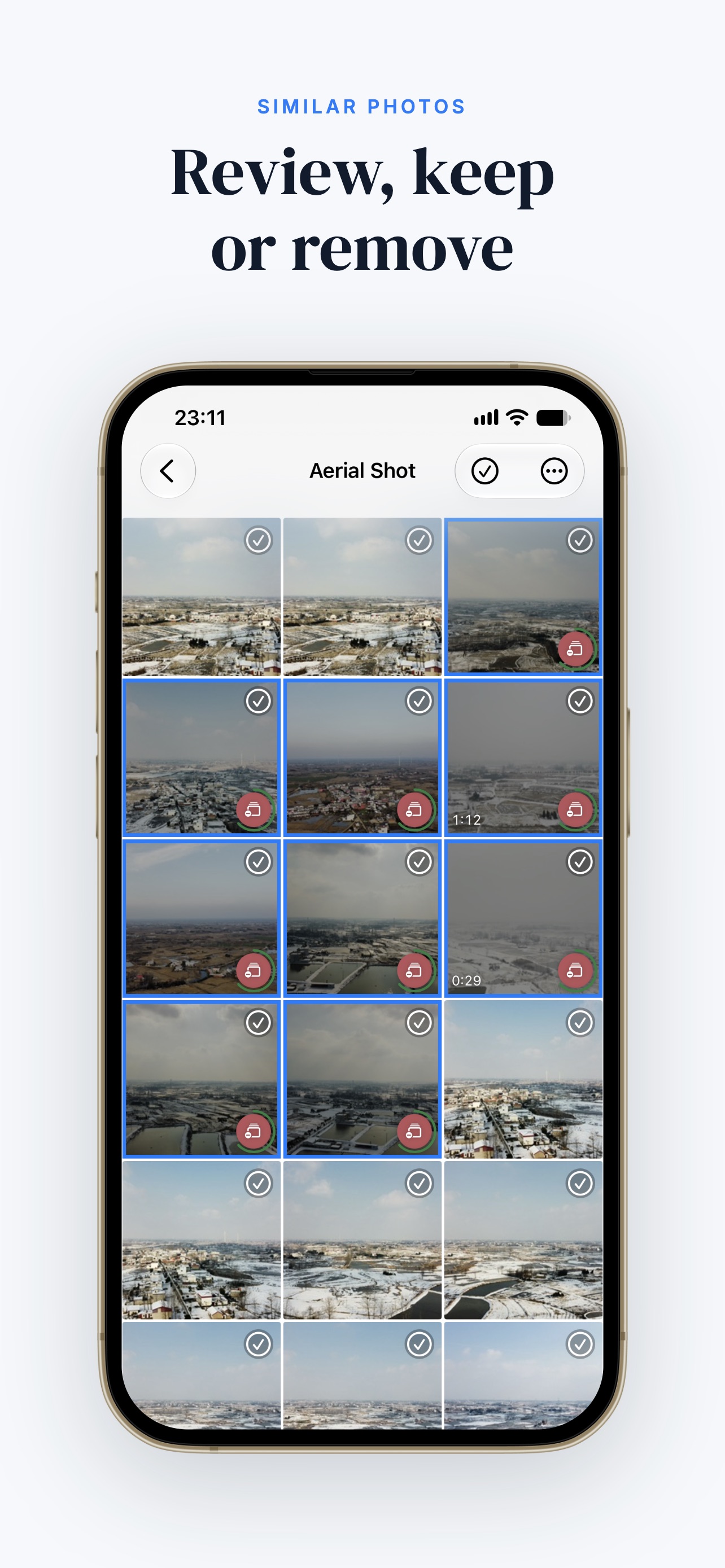
Burst shots, screenshots, and similar angles are clogging your phone. Manually selecting them to delete is tedious and time-consuming.
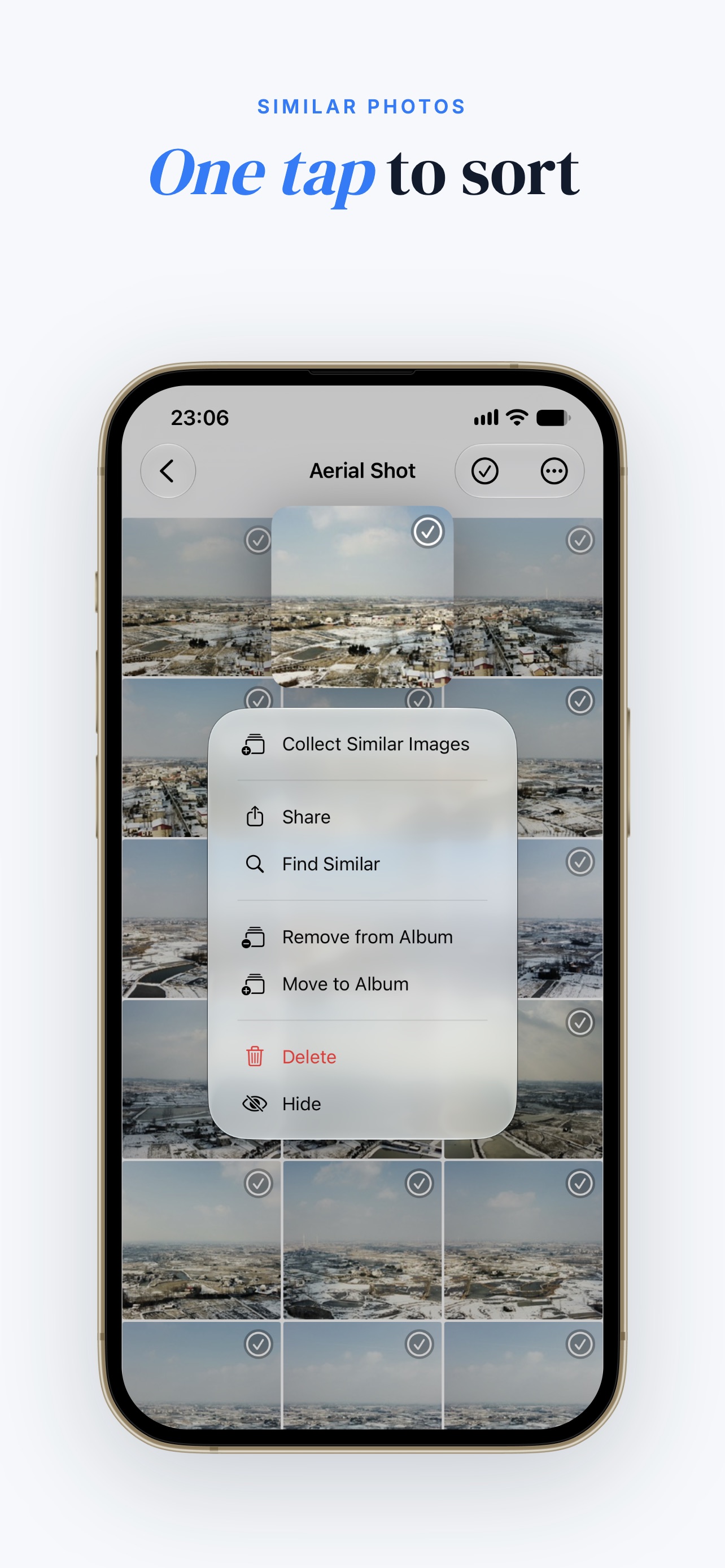
Visual Search & Batch Cleaner. We group similar photos and bursts together. Review them in one place and keep only the best shots.
You want to group photos by theme (Pets, Food, Travel), but picking them out one by one from the main timeline is exhausting.
Collect Similar Images. Pick one "seed" photo (e.g., your cat), and we'll collect similar photos in batches into the current album for your review.
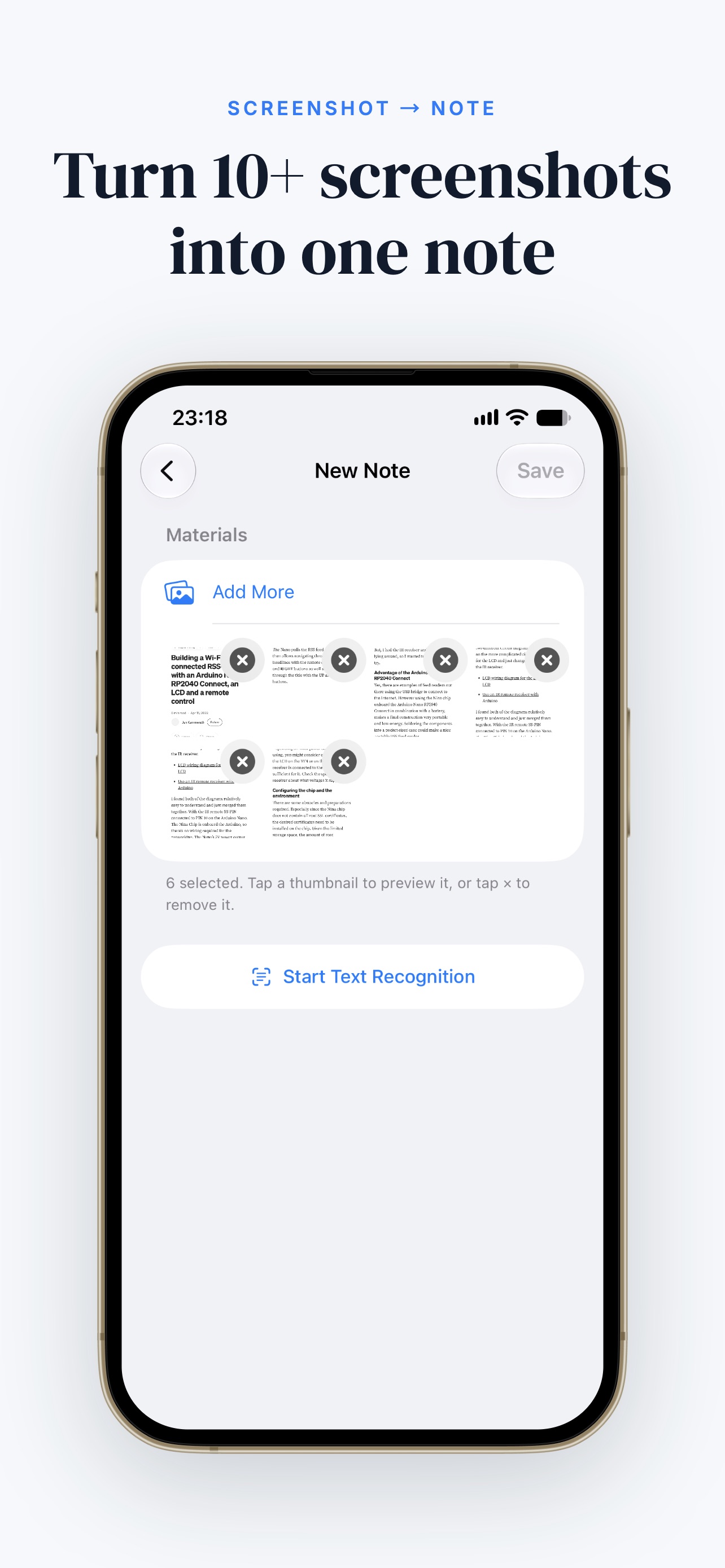
Order confirmations, WiFi passwords, recipes — the info you need is buried inside screenshots you're afraid to delete.
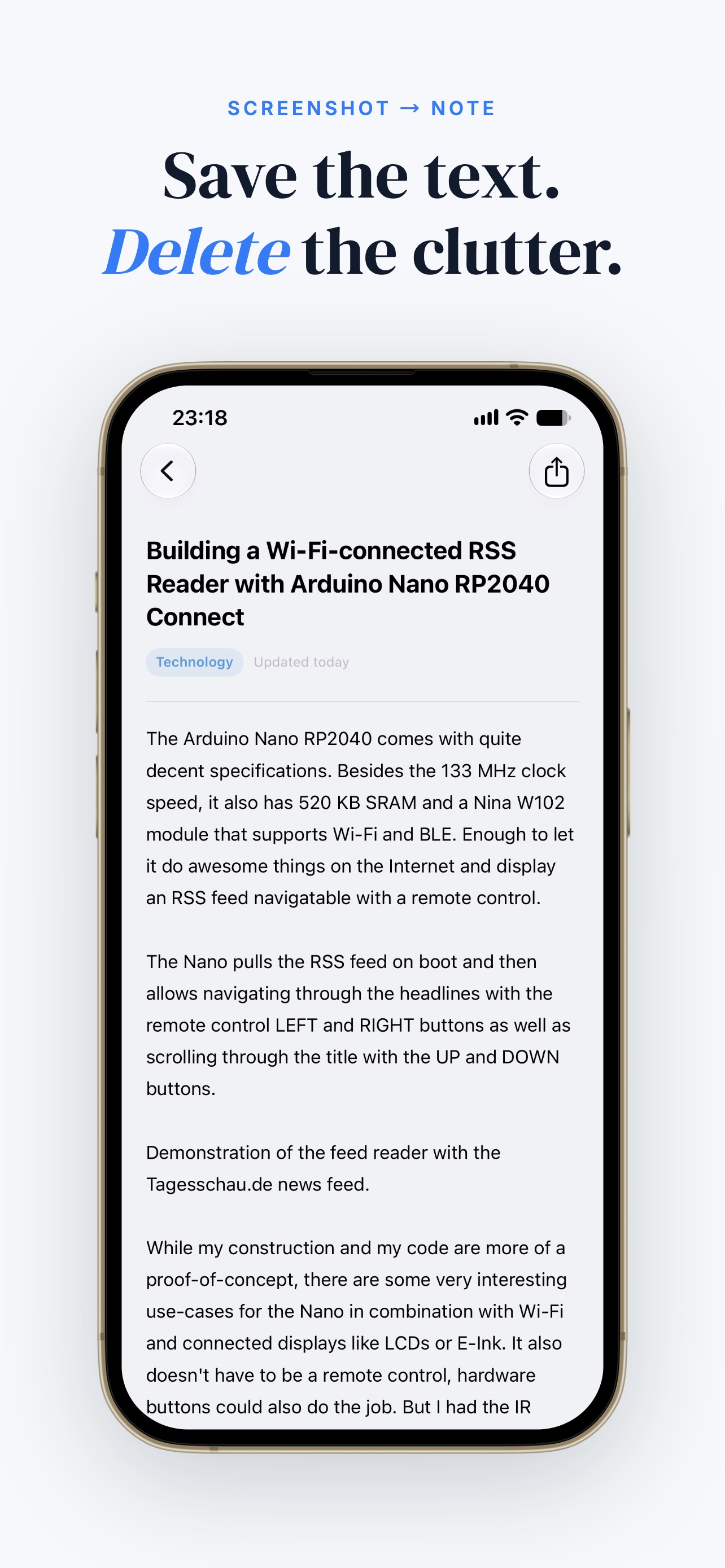
Screenshot to Notes. PicSeek's on-device OCR extracts and formats the text from your screenshots, saves it into a note, and optionally deletes the screenshot afterwards. Keep the info, lose the clutter.
Everything you need to manage your photos
Don't just search for "cat". Search for "cat sleeping on the sofa". Our AI understands context.
No internet required. No cloud uploads. Your photos never leave your device.
Identify duplicates and similar shots. Keep the best one and free up storage space.
Powered by SQLite-vec and optimized CoreML models for instant results.
Search in your native language. Supports English, Chinese, Spanish, and more.
Built with SwiftUI. Smooth, responsive, and feels right at home on your iPhone.
On-device OCR turns screenshot text into clean, searchable notes — then optionally deletes the screenshot for you.
Most photo apps upload your memories to the cloud to analyze them. PicSeek is different.
All analysis happens on-device using CoreML.
No internet required for search (only needed to download iCloud photos).
We collect zero personal data.
Privacy Architecture Diagram
No. PicSeek analyzes photos locally. Internet is only used to download your photos from iCloud if they aren't on your device.
We use optimized versions of CLIP (Contrastive Language-Image Pre-Training) models that run efficiently on Apple's Neural Engine.
PicSeek is free to download with core features. We offer a Pro subscription for advanced features like unlimited cleaning, sharing, and syncing app albums to the system library.
Yes! PicSeek is a universal app optimized for both iPhone and iPad.
Open PicSeek and type what you remember — for example "a calico cat" or "sunset at the beach". The on-device AI matches your description against your entire library and shows the best matches in seconds, with no cloud upload.
PicSeek groups similar and duplicate photos together. Pick one seed photo, let the AI collect lookalikes into an album, review them side by side, and delete the extras in one batch to free up storage.
Yes. The Screenshot to Notes feature uses on-device OCR to extract and format text from screenshots, saves it into a note, and optionally deletes the screenshot afterwards — keeping your camera roll clean.
Join thousands of users who are reclaiming their photo libraries with the power of local AI.
Download Now